
Directory Opus 13.24
by GPSoftware
The file Manager for Windows
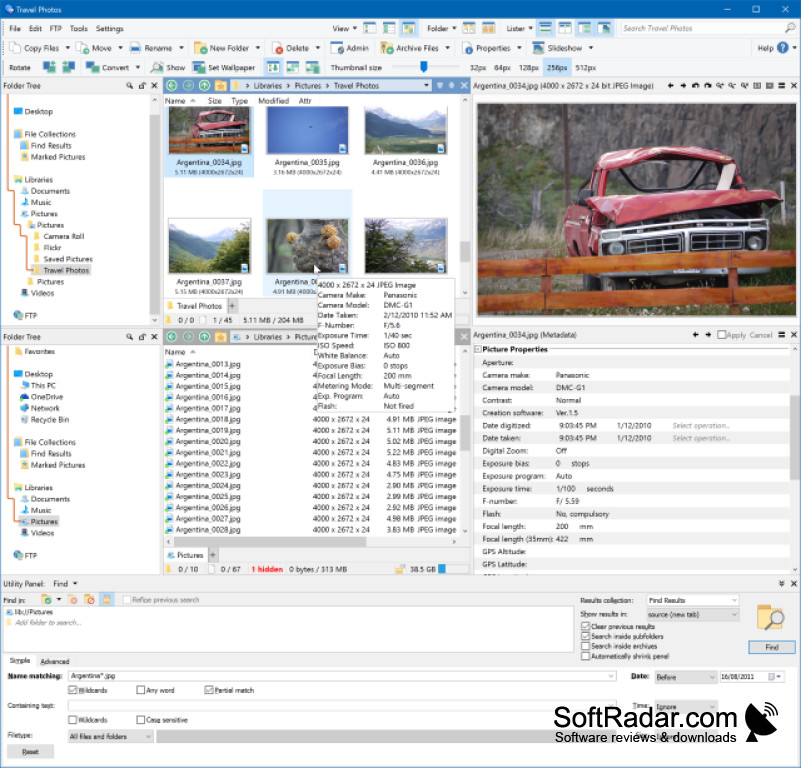
Managing files across folders, drives, archives, and network locations can be cumbersome with a basic Windows Explorer layout. Directory Opus 13.24 provides a configurable dual-pane file manager with tabs, advanced search, batch operations, folder synchronization, and support for common archive formats.
Operating system: Windows
Publisher: GPSoftware
Version: 13.24 (checksum)
Antivirus check: VirusTotal report
What's new in Directory Opus 13.24:
- Setting remove_padding="yes" on an SVG icon set removes excess image padding.
- DOpus.LoadImage() can build an image object from SVG code; alpha is unavailable and the final parameter is remove_padding.
- Toolbar buttons can contain SVG icon code internally, without depending on separate image files.
- Marked-up text controls, including script-dialog markup controls, accept direct SVG code and scale it to the available area.
- Inline SVG in marked-up text is reduced to shell icon dimensions: 16x16 pixels at 100% DPI; begin it with <%svg>.
- Stylesheets can remap SVG image colors for light and dark modes, with Opus applying the selected mode automatically.
- SVG icon sets keep their SVG source in the XML definition, making each set self-contained instead of using bitmap grids.
- SVG images in the viewer are resized dynamically as the zoom level changes.
- Set an SVG icon set element's size attribute to svg.
- SVG icon sets can define shared styles for use by all icons.
- Opus can render SVG files natively.