
GoPro MAX Exporter
GoPro MAX Exporter prepares GoPro MAX footage as spherical MP4 video for Windows users who edit or share 360-degree recordings.
Operating system: Windows
Publisher: GoPro, Inc.
Release: GoPro MAX Exporter 1.9.4
Antivirus check: VirusTotal report
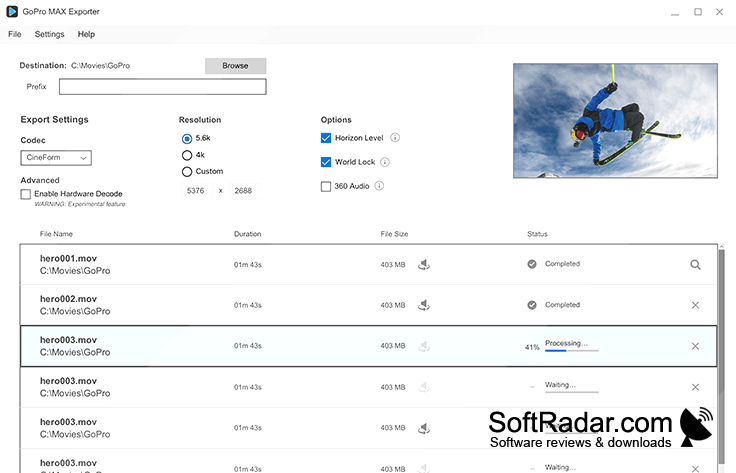
GoPro MAX Exporter converts footage from a GoPro MAX camera into spherical MP4 video for use in compatible editing applications or for sharing online. It gives people working with 360-degree recordings a Windows-based way to prepare camera files for further editing. Recordings can be exported individually or placed in a queue when several files need processing.
Prepare several 360-degree recordings for editing with control over resolution, encoding and orientation.
Export settings include preset resolutions and a custom size, with CineForm, HEVC and H.264 encoding options. Horizon leveling can correct the angle of a recording, while World Lock helps reduce changes in its viewing direction as the camera moves. A queue handles multiple exports, so users can arrange several recordings for processing together.
Features:
- Convert MAX recordings to spherical MP4 video
- Select preset or custom output resolution
- Encode video with CineForm, HEVC or H.264
- Level tilted horizons in 360-degree footage
- Reduce viewing rotation with World Lock
- Queue multiple recordings for export
PROS
Horizon leveling steadies footage during camera rotation.
Multiple codecs and resolutions suit different editing workflows.
CONS
Input support is limited to GoPro MAX footage.

