
TC Games
TC Games is a Windows program that mirrors an Android phone to the PC and lets you play mobile games with keyboard and mouse.
Operating system: Windows
Publisher: Sigma Resources & Technologies
Release: TC Games 3.0.4616188
Antivirus check: VirusTotal report
TC Games is a screen mirroring and control program from Sigma Resources & Technologies that turns a Windows PC into a large screen for an Android phone. Instead of running games inside an emulator, it shows the real phone screen on the computer and passes keyboard and mouse input back to the device, so mobile games run on the phone hardware while you play at the desk with PC controls.
Features:
• Keyboard and mouse control: movement, aiming, shooting, skills and items in mobile games can be controlled with the keyboard and mouse, using key mappings placed over the mirrored screen.
TC Games lets you play Android games on a PC screen with keyboard and mouse control, without installing an emulator.
• Ready-made keymaps: one-click setup applies recommended key layouts for popular mobile titles, and every layout can be adjusted or created from scratch to match your play style.
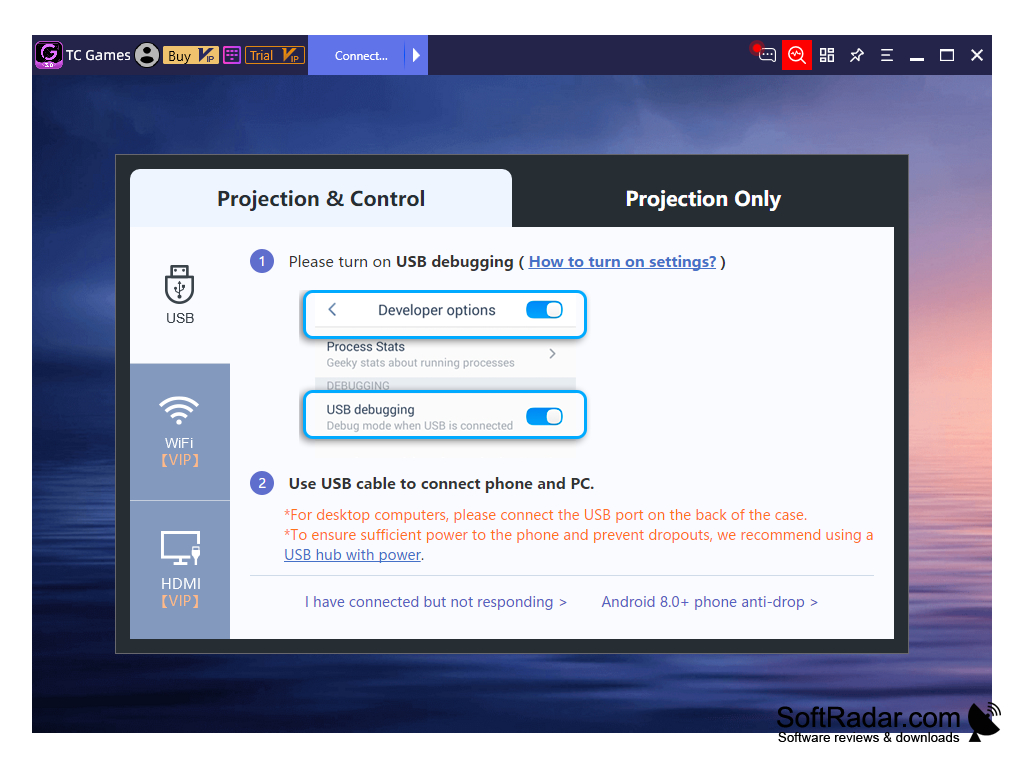
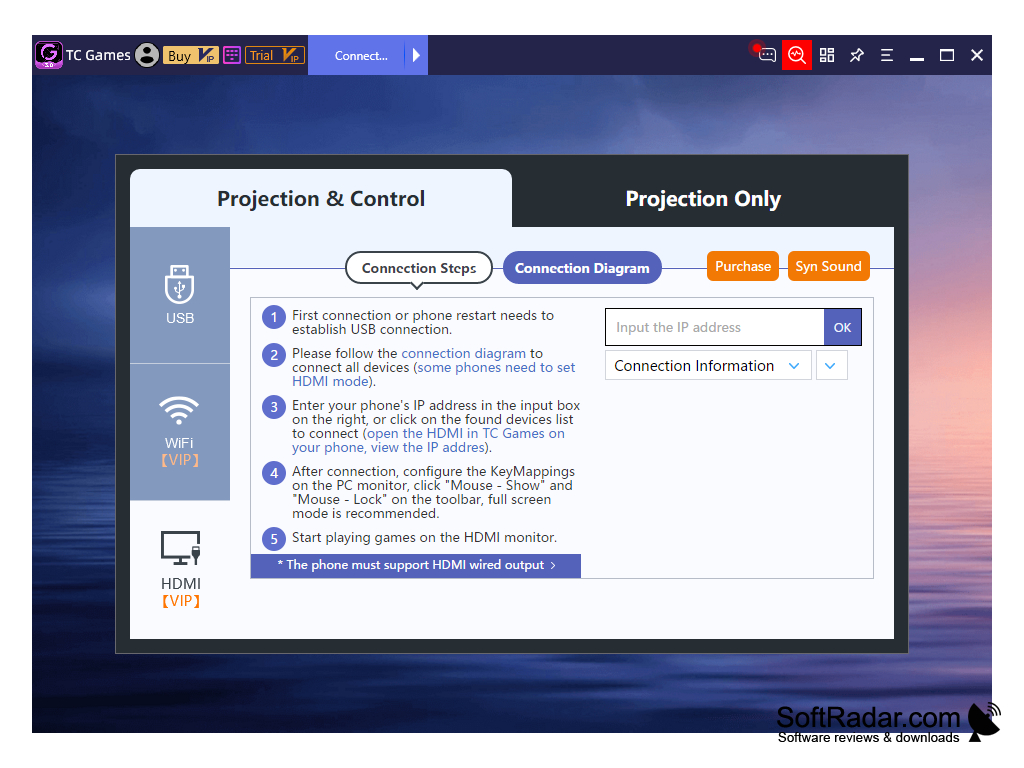
• Three connection modes: the phone can be connected over a USB cable with USB debugging enabled, over Wi-Fi, or through the HDMI output of phones that support it.
• Two projection modes: "Projection & Control" mirrors the screen and sends input to the phone, while "Projection Only" simply displays the phone screen on the PC.
• Multi-instance gaming: several Android devices can be mirrored at the same time to run and control multiple games or accounts from one PC, and a synchronizer repeats actions on all of them.
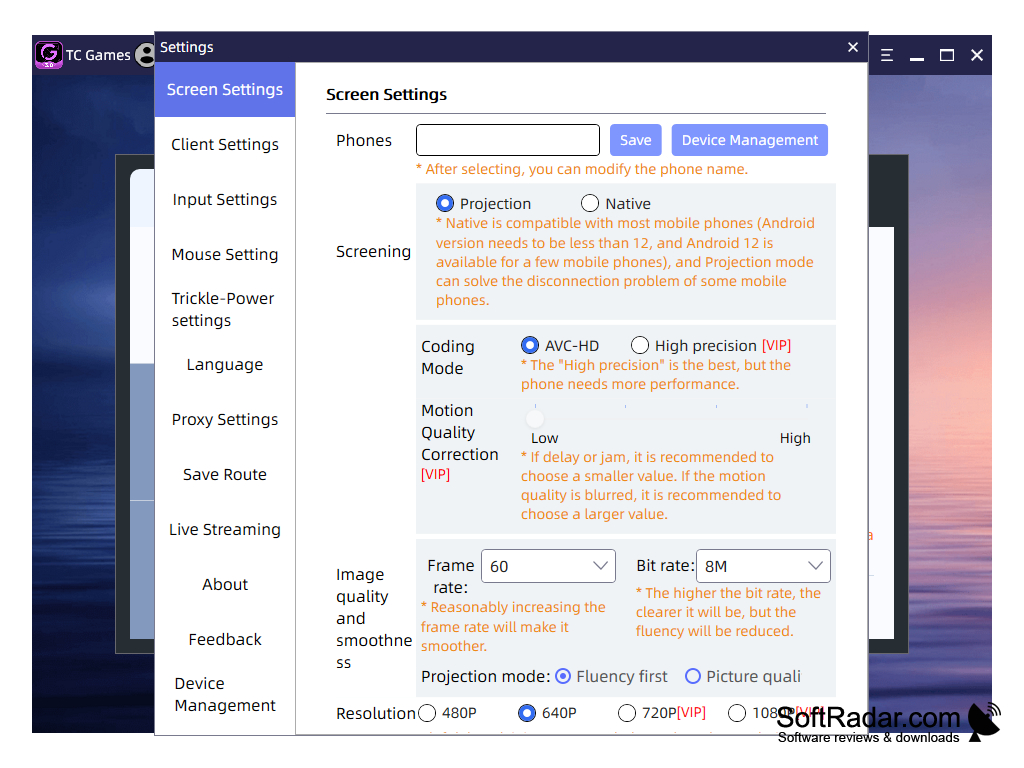
• Quality settings: coding mode, bit rate, frame rate and resolution are set in Screen Settings; the free version works at 640P and 60 FPS, while VIP raises the limits to 1080P and 120 FPS.
• Advanced keys: VIP adds macro keys, continuous click, virtual aim, view angle, slide attack, intelligent casting and other key types on top of the direction, fire and click keys of the free version.
• Audio and extras: the program can transfer phone audio to the PC, and its settings include mouse, language, proxy, save route and live streaming options.
• Free and VIP plans: TC Games can be used for free with one connected device, and a VIP subscription unlocks up to five devices, higher quality and watermark removal.
• Modest requirements: the program runs on Windows 7 and later, supports phones with Android 6 and later, and works with low-end graphics cards because no emulator has to be run on the PC.
Android phone with Android 6 or later
USB cable, Wi-Fi or HDMI output to connect the phone
PROS
Features a multi-instance synchronizer.
Provides low latency, high-resolution mobile screen mirroring.
CONS
Higher resolution and frame rate require a VIP plan.
Wireless mode depends on a stable local Wi-Fi network.


