
BIOSAgentPlus
A free scanner from eSupport.com that checked a PC for BIOS updates and outdated drivers; the service is now discontinued.
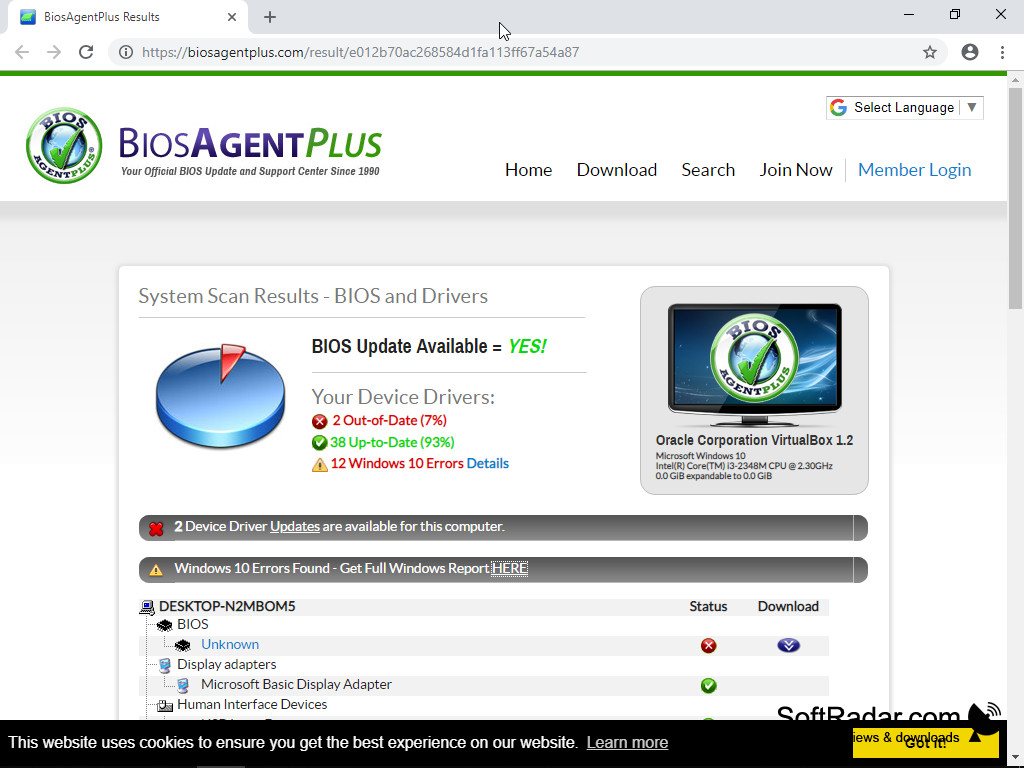
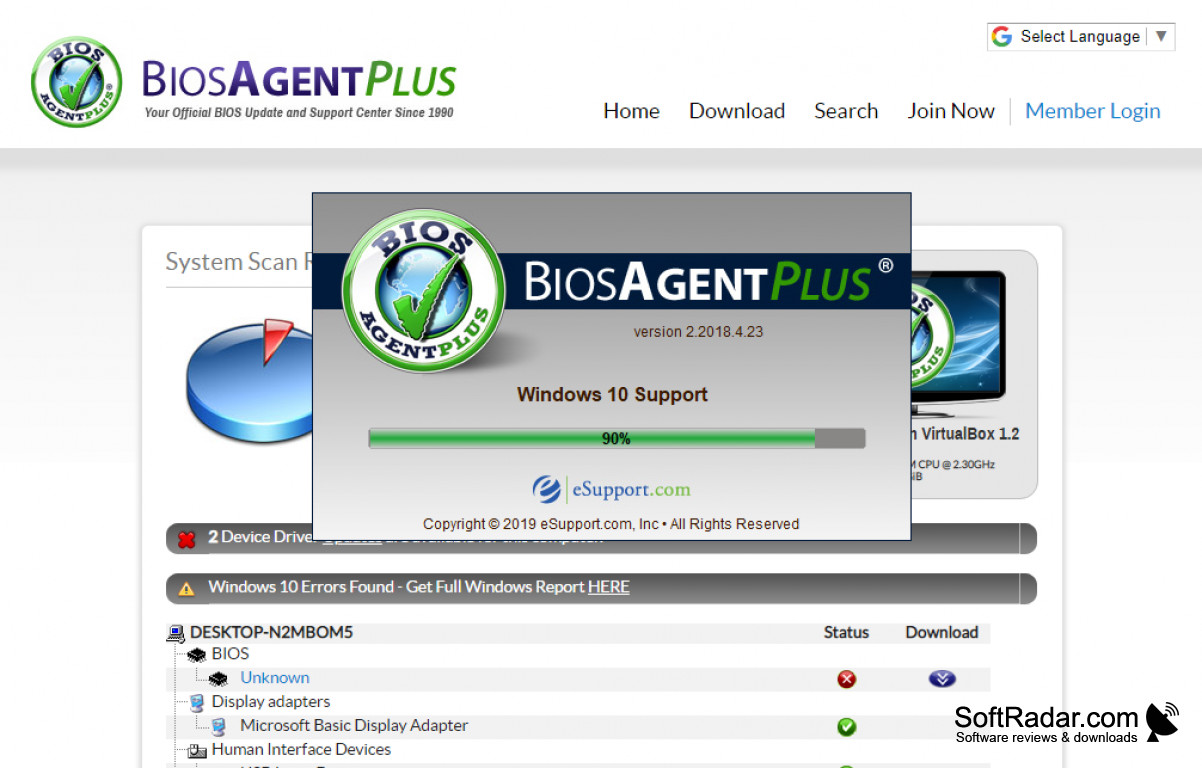

According to eSupport.com, over ten million people have downloaded BIOSAgentPlus to check their computers for new BIOS and old Drivers. It gave instant access to a detailed report of its findings. The service was shut down in March 2022.
Features:
- Checks for new BIOS updates
- Finds old Drivers and recommends appropriate updates
- Reports BIOS type, BIOS ID string, motherboard and chipset
- Supports 32-bit and 64-bit Windows from 2000 to 10
It showed in one report whether a newer BIOS and newer drivers were available for your PC.
eSupport.com, Inc., which called itself the official BIOS update and support center since 1990, developed BIOSAgentPlus for desktops and laptops of all major brands and described it as a small free program. The small program scanned the computer, identified the BIOS (such as Phoenix-Award and AMI BIOS) and uploaded the data to the BIOSAgentPlus website, where the results were compared with the company's database of BIOS updates. The results page also flagged Windows errors and offered a full Windows report.
The scan and the report were free, while the matching BIOS update itself was sold on the website. In 2020 the offer cost $29.95 and included the FileCleaner utility at no extra charge. The report listed the BIOS type, BIOS ID string, hardware and memory data, motherboard ID, manufacturer, chipset and device drivers.
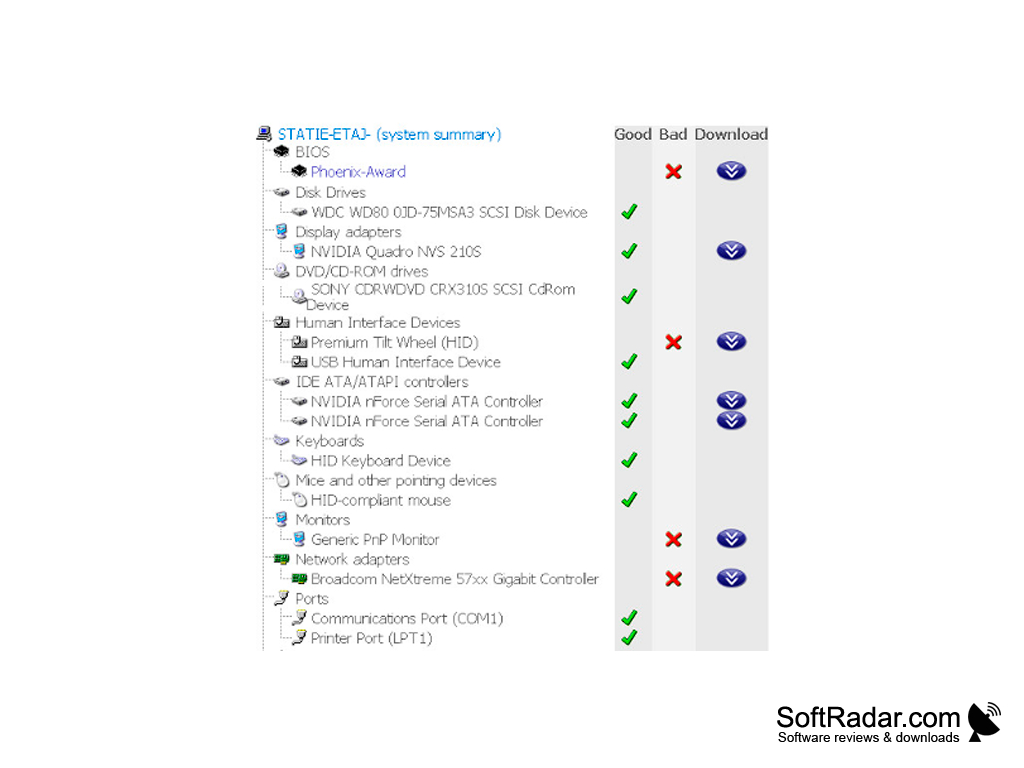
Drivers are imperative to the running of any operating system. They work by communicating with the computer's hardware, which makes it work with the operating system. Old drivers can cause a computer to slow down or stop working correctly. BIOSAgentPlus found old drivers and provided update recommendations. It provided access to a BIOS/Driver report that outlined which components had newer versions available, with a download button next to each outdated item. Devices were grouped by category, such as BIOS, display adapters, network adapters and USB controllers, each with a status icon.
Can you fix these problems without BIOSAgentPlus? Yes. Most PC and motherboard manufacturers publish BIOS updates and driver packages on their own support websites, often together with update tools. Updating a BIOS always carries some risk, so the manufacturer's instructions should be followed carefully. Since BIOSAgentPlus shut down, these official sources are the way to update a BIOS. For drivers, Windows Update and the Device Manager also offer updates for most hardware components.

32-bit or 64-bit
PROS
Offered detailed hardware information reports.
Covered BIOS and device drivers in one scan.
CONS
BIOS updates had to be purchased separately.
Results depended on an online database.


