
mCalc
mCalc is an easy-to-use financial calculator for calculating loan payments, mortgage and amortization schedules, and investment returns.
Operating system: Windows
Publisher: Michael Botsko
Release : mCalc 5.0.4
Antivirus check: VirusTotal report
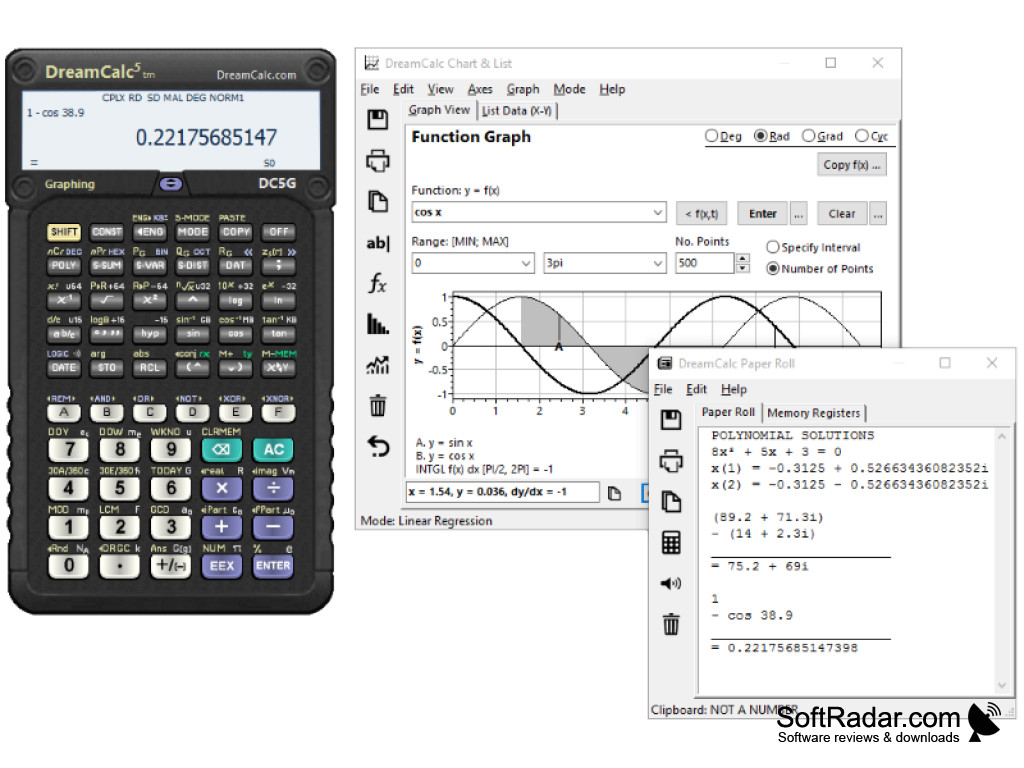
Calc: An Innovative Calculator Application
Calc is a powerful and innovative calculator application for iOS, Android, and the web. It has been designed from the ground up to provide an intuitive and powerful calculation experience for all users, from casual everyday users to engineers, scientists, and mathematicians.
mCalc allows users to quickly and accurately calculate loan payments.
Features:
• Comprehensive scientific calculator: Calc offers a comprehensive set of scientific calculator features, making it ideal for engineering, scientific and mathematical calculations. It includes advanced functions such as trigonometric and logarithmic functions, constants, scientific notation, and complex number calculations.
• Easy-to-use: Calc has an easy-to-use interface that makes it simple to enter calculations quickly and accurately. It also includes a help system that provides detailed information on how to perform calculations, as well as a built-in tutorial system to help users learn how to use the app.
• Customizable: Calc is highly customizable, allowing users to customize the look and feel of the application to suit their preferences. It includes a wide range of color schemes and fonts, as well as the ability to customize the size and placement of the calculator buttons.
• Memory: Calc includes a memory feature that allows users to store and recall calculations quickly and easily. This feature is particularly useful for complex calculations that require the user to refer back to previous steps in the calculation.
• Graphs: Calc includes the ability to plot graphs of equations and functions, allowing users to visualize their data in an easy and intuitive way.
• Sharing: Calc provides an easy way to share calculations with others. Users can share their calculations with a simple link, or by exporting them to a file.
• Works on any device: Calc is available for iOS, Android, and the web, making it accessible to users on any device.
• Free: Calc is free to download and use.
Calc is an innovative and powerful calculator application that makes calculations simple and efficient. Whether you are a casual user or an engineer, Calc will help you get the job done quickly and accurately.
• Windows XP, Vista, 7, 8, or 10
• Microsoft .NET Framework 4.0
• Minimum screen resolution of 1024 x 768
• 1GB of RAM
• 50MB of free hard drive space
PROS
Offers various advanced mathematical functions.
Reliable with fast calculations.
CONS
No graphing capability for complex equations.
Interface may be confusing for beginners.