
AutoCAD Mechanical
An AutoCAD-based manufacturing program that centers around mechanical design with extra libraries of standard parts
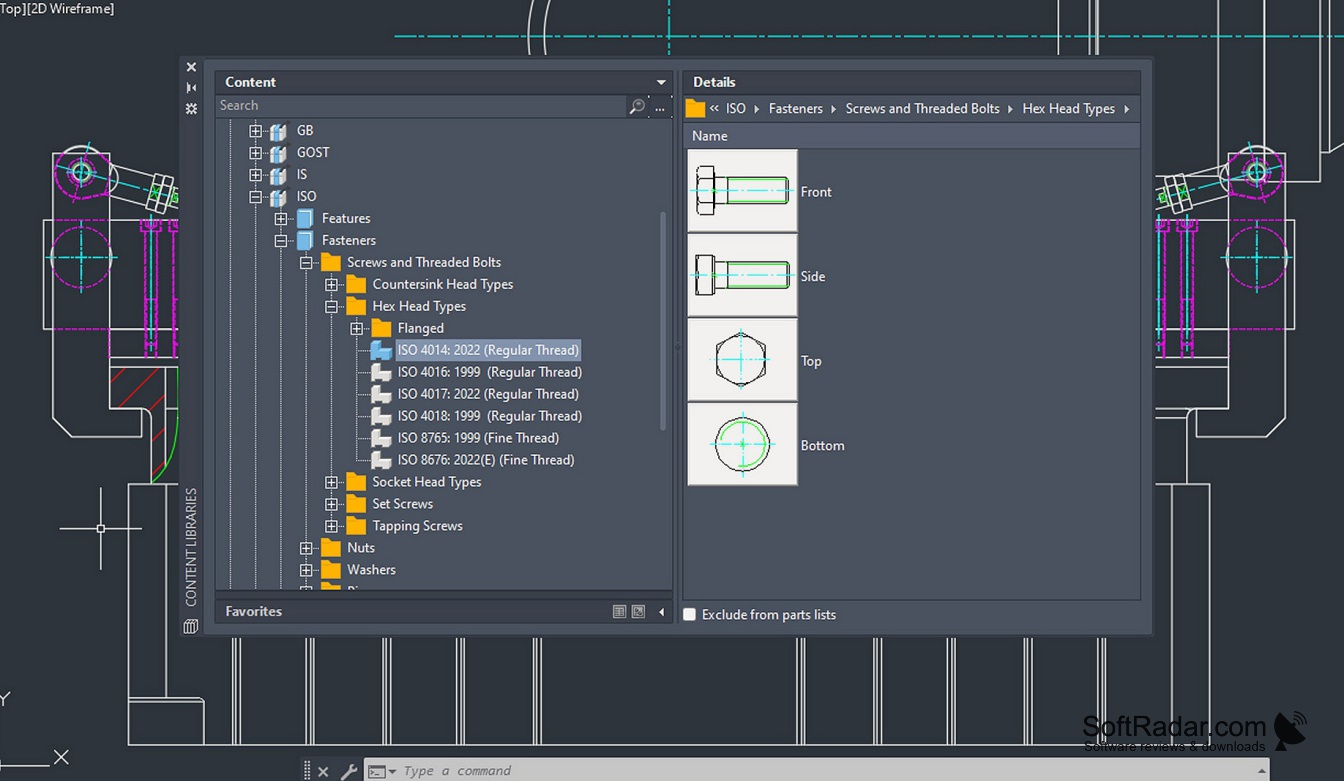
AutoCAD Mechanical could be summed up as just being another CAD, right? Well, not really. In reality, it is AutoCAD extended with tools for mechanical engineering: machine components, standard parts, material data and manufacturing drawings. Creation of specific mechanical parts, assemblies, drawings, and others, while adding all of their subsequent details, can all be done easily, as well as specifying the material of which the part is composed. It is no longer sold separately and now comes as the Mechanical toolset included with an AutoCAD subscription.
The toolset includes a library of more than 700,000 standards-based parts and features, following ISO, ANSI, DIN, JIS, BSI, CSN and GB standards. It also has support for custom-added libraries and overall any additional content that you may need in your work. Built-in calculators handle 2D FEA, shaft calculations and moment of inertia, while bills of materials (BOMs) and parts lists are created automatically. Command preview shows the result of commands such as Offset, Fillet and Chamfer before you apply them, and other drafting tools add welding symbols, surface texture symbols and feature control frames to existing drawings.
Features:
- Various ways of adding extra information or assigning data to a model, part or project
- Automated model and drawing updates that follow changes in the design, so manual redraws are needed far less often
- Easy management of layers and sublayers, with a selection of lineweights, linetypes and configurations for all the objects that come with them
- Highly customizable settings menu that includes parameters for almost every aspect of the software, adjusting and changing the structure and the way it works
AutoCAD Mechanical works the same way as regular AutoCAD while adding standard parts, calculators and drafting tools that speed up mechanical design.
Taken together, these features make AutoCAD Mechanical a strong choice for engineers who produce 2D manufacturing drawings of machines and parts. It is a more narrowly focused solution than general-purpose AutoCAD, but that is the point: it concentrates on specific parts of the engineering process and handles them well. Drawings remain regular DWG files, so they can be opened in plain AutoCAD and other AutoCAD-based applications.
2.5-2.9 GHz processor (3+ GHz recommended)
8 GB RAM (32 GB recommended)
10 GB free disk space, SSD suggested
DirectX 11 GPU with 2 GB VRAM (8 GB recommended)
PROS
Interoperable with other AutoCAD applications.
Comprehensive tools specifically for mechanical engineering.
CONS
Steep learning curve for beginners.
Available only as part of an AutoCAD subscription.