
Display Driver Uninstaller (DDU)
Display Driver Uninstaller (DDU) removes graphics drivers and related data on Windows for people changing GPUs or investigating display problems.
Operating system: Windows
Publisher: Wagnard
Release: Display Driver Uninstaller (DDU) 18.1.6.2
License: Open source (MIT)
Antivirus check: VirusTotal report
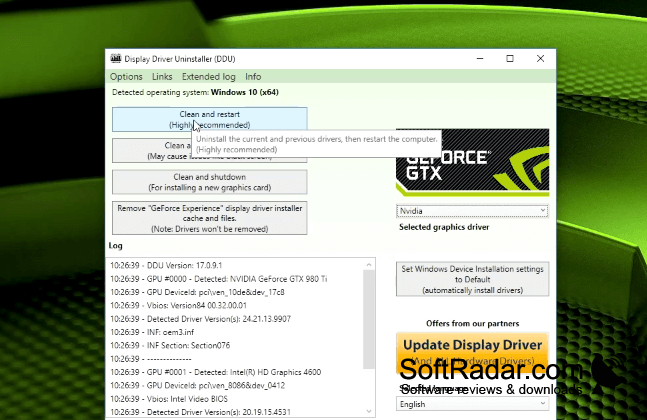
Display Driver Uninstaller (DDU) is a portable Windows tool for removing GPU drivers when a regular uninstall leaves unwanted data behind. It is useful when changing graphics hardware, preparing to install another driver, or investigating problems that may involve older driver settings. Its focus is display adapters rather than other device types, so it serves a specific maintenance task.
It removes old driver data before another graphics driver is installed, helping avoid conflicts with previous settings.
Users select a GPU maker, then choose an action to remove its driver and associated files, folders, and registry entries. The program can operate in Safe Mode and offers a way to restart Windows into that environment. It can also prevent Windows from fetching a driver automatically, show a record of its actions, and accept command-line instructions.
Features:
- Targets display drivers from Intel, AMD, and NVIDIA
- Removes associated files, folders, and registry entries
- Offers a restart option for Safe Mode
- Can prevent automatic driver installation by Windows
- Shows a record of removal activity
- Accepts command-line instructions
Requires .NET Framework 4.8
PROS
Helps resolve conflicts when switching GPU brands.
Offers clear cleanup and restart options.
CONS
Thorough cleanup requires restarting the computer.


