
QR-Code Studio
by TEC-IT Datenverarbeitung GmbH
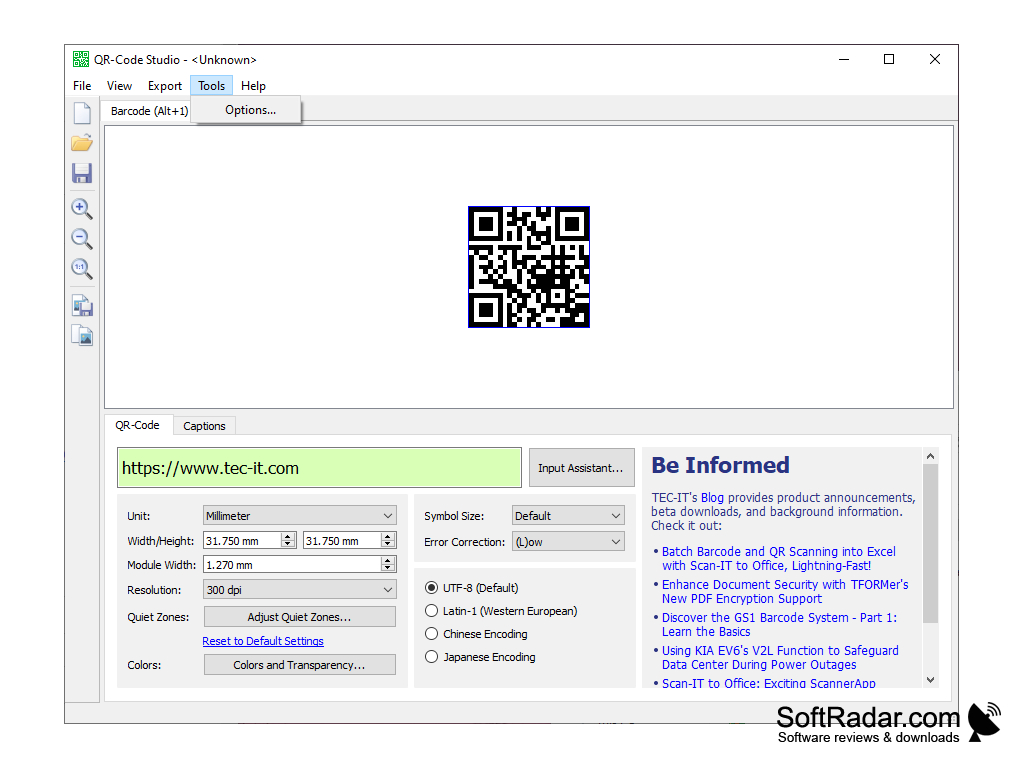
QR-Code Studio is a cross-platform desktop application for creating, editing and managing QR codes.
Operating system: Windows
Publisher: TEC-IT Datenverarbeitung GmbH
Antivirus check: VirusTotal report


QR-Code Studio
QR-Code Studio offers an easy to use and comprehensive set of tools for creating and managing QR codes. This comprehensive software package provides a wide array of features for users to customize and manage their QR codes. With QR-Code Studio, users can generate, customize, and manage QR codes for their business or any other purpose.
1. Create QR codes in minutes: Create QR codes with just a few clicks. With QR-Code Studio you can quickly design, generate, and manage QR codes for your business or any other purpose.
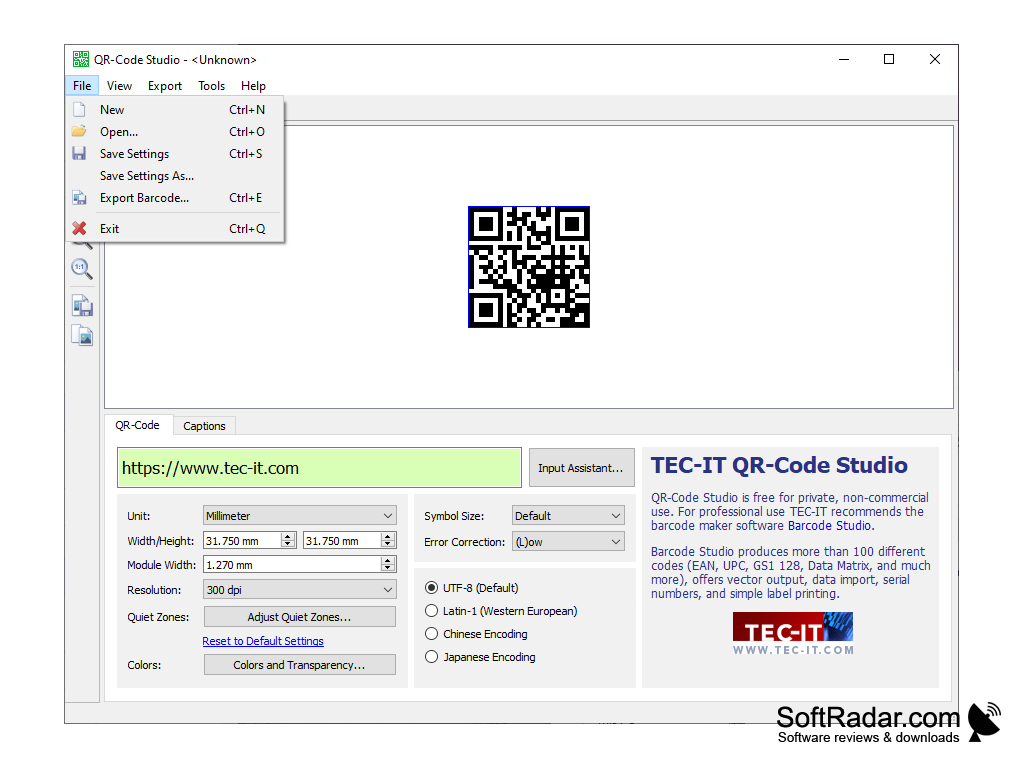
2. Customize QR codes: Customize your QR codes with a variety of options, including size, color, background, and more.
3. Manage QR codes: Manage your QR codes with ease. With QR-Code Studio you can keep track of your QR codes, monitor their usage, and make changes when needed.
4. Integrate with other applications: QR-Code Studio can be integrated with other applications, such as mobile apps, websites, and more. This makes it easy to manage QR codes from a single platform.
5. Generate reports: Generate reports to track the usage of your QR codes. This will help you understand how your customers are interacting with your QR codes and make changes when needed.
6. Share QR codes easily: Share your QR codes with ease. With QR-Code Studio you can share your codes with customers, partners, and more.
7. Security: QR-Code Studio is a secure platform. All data is protected with industry-leading security measures to ensure that your data remains safe and secure.
8. Cloud-Based: QR-Code Studio is a cloud-based software solution. This means that you can access your codes from anywhere, anytime, without having to install any software.
9. Mobile-Friendly: QR-Code Studio is designed to be mobile-friendly. This makes it easy to manage your codes on the go.
10. Support: QR-Code Studio offers comprehensive support. Our knowledgeable support staff is here to help you with any questions you may have.
QR-Code Studio offers an easy to use and comprehensive set of tools for creating and managing QR codes. This comprehensive software package provides a wide array of features for users to customize and manage their QR codes. With QR-Code Studio, users can generate, customize, and manage QR codes for their business or any other purpose.
QR-Code Studio allows users to create custom QR codes quickly and easily.Features:
1. Create QR codes in minutes: Create QR codes with just a few clicks. With QR-Code Studio you can quickly design, generate, and manage QR codes for your business or any other purpose.
2. Customize QR codes: Customize your QR codes with a variety of options, including size, color, background, and more.
3. Manage QR codes: Manage your QR codes with ease. With QR-Code Studio you can keep track of your QR codes, monitor their usage, and make changes when needed.
4. Integrate with other applications: QR-Code Studio can be integrated with other applications, such as mobile apps, websites, and more. This makes it easy to manage QR codes from a single platform.
5. Generate reports: Generate reports to track the usage of your QR codes. This will help you understand how your customers are interacting with your QR codes and make changes when needed.
6. Share QR codes easily: Share your QR codes with ease. With QR-Code Studio you can share your codes with customers, partners, and more.
7. Security: QR-Code Studio is a secure platform. All data is protected with industry-leading security measures to ensure that your data remains safe and secure.
8. Cloud-Based: QR-Code Studio is a cloud-based software solution. This means that you can access your codes from anywhere, anytime, without having to install any software.
9. Mobile-Friendly: QR-Code Studio is designed to be mobile-friendly. This makes it easy to manage your codes on the go.
10. Support: QR-Code Studio offers comprehensive support. Our knowledgeable support staff is here to help you with any questions you may have.
QR-Code Studio software is compatible with Windows 7, Windows 8, Windows 10, and Mac OS X 10.8 or higher operating systems. The software requires a minimum of 1GB of RAM and 50MB of hard drive space. Additionally, a minimum monitor resolution of 1024 x 768 pixels is recommended.
PROS
Generates high-quality QR codes rapidly and efficiently.
Offers customizable design features for personalized codes.
Supports a wide range of data types.
Offers customizable design features for personalized codes.
Supports a wide range of data types.
CONS
Limited design customization options for QR codes.
Rare technical glitches reported in barcode scanning.
Subscription required for advanced features.
Rare technical glitches reported in barcode scanning.
Subscription required for advanced features.