
SANDISK Dashboard
SANDISK Dashboard helps Windows users check and maintain compatible SanDisk and WD storage drives, with tools for viewing drive condition, running diagnostics, and managing firmware.
Operating system: Windows
Publisher: Sandisk Corporation
Release: SANDISK Dashboard 5.2.2.3
License: Free
Antivirus check: VirusTotal report
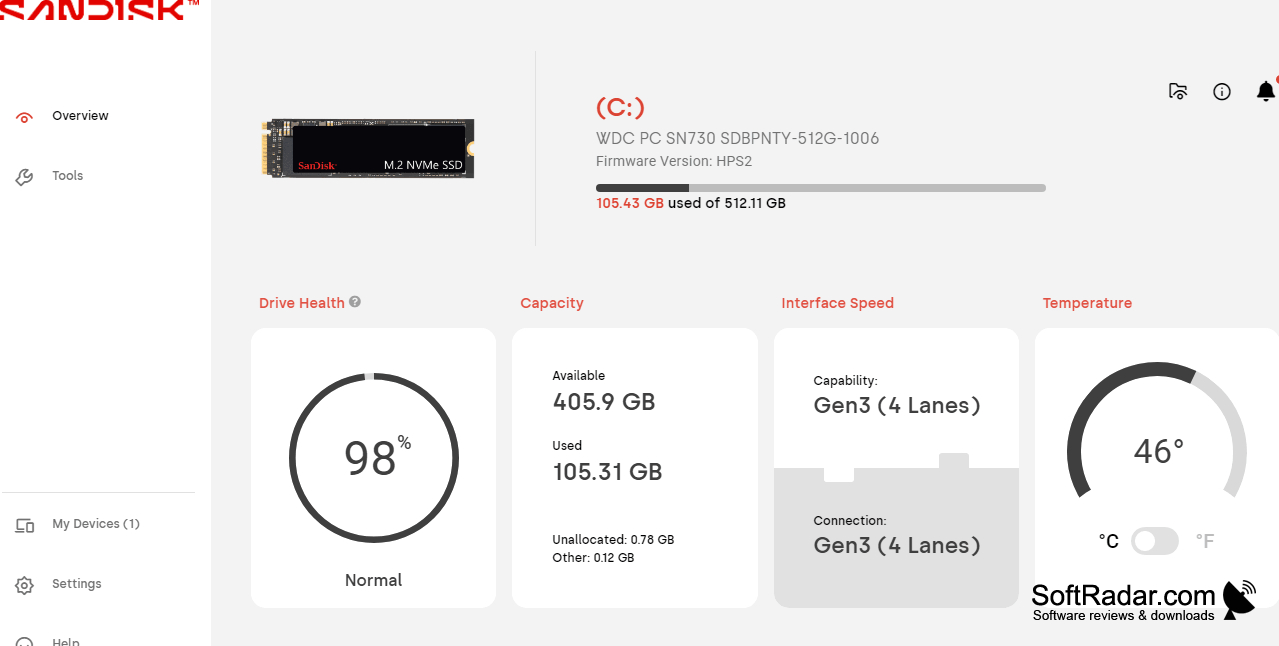
SANDISK Dashboard gives Windows users a way to inspect and maintain compatible SanDisk and WD drives. It brings capacity, temperature, and drive condition into one view, making it useful for routine SSD upkeep or investigating a change in system behavior. Users can also identify the installed drive model and see which firmware it currently uses.
It puts drive condition, temperature, and diagnostic results in one place for routine SSD upkeep.
After selecting a connected drive, users can review its S.M.A.R.T. data and run quick or in-depth diagnostic tests. The program can check for firmware revisions and guide users through an update. On compatible devices, it also provides TRIM controls and performance figures. Reports can be packaged for troubleshooting, while certain WD BLACK models offer lighting and heatsink controls.
Features:
- Displays capacity, drive condition, and temperature
- Shows model details and installed firmware
- Runs quick or in-depth drive diagnostics
- Checks for available firmware revisions
- Provides TRIM options for compatible SSDs
- Exports reports for troubleshooting
Supports 32-bit and 64-bit Windows 10
Requires a supported SanDisk or WD drive
PROS
Runs short and extended drive diagnostics.
Simplifies firmware updates for supported SSDs.
CONS
Sometimes fails to recognize compatible drives.


