
AirMyPC
by AirMyPC
A media player that allows you to airplay - play videos wirelessly
Operating system: Windows
Publisher: AirMyPC
Release: AirMyPC 5.4.0
Antivirus check: VirusTotal report
Features:
- It allows you to mirror the screens via Chrome Cast. It has amazing mirroring capabilities.
- It is an interactive software. It lets you wirelessly play your webcam on your TV. You can also use text and shape tools.
- It supports mirroring on all devices you can enjoy videos with all your family members
- It is compatible with all the devices that are connected to the same WiFi.
- It is the perfect alternative if you wish you needed an extra display for your computer.
- It can be used easily.
- There is no particular time limit.
- It can be used as a go-to app if you have multiple rooms in your home and need to watch the same show and enjoy it with your family members it is an amazing app for mirroring any device.
- You can connect multiple speakers and enjoy a fun party together.
- It is very very helpful for many purposes.
- It can host multiple conferences.
- It is very good software and is recommended for all devices and android users.
- This software is useful and consistent.
- Data can be transferred to any device that is connected to the wireless connection.
- We can play each and every file on the device.
- Video transfer to all devices.
- Audio transfer.
- Data can be reused in all the devices
- It has a great third party support system
- It is a built-in tool for transferring music from iTunes to other devices.
- Amazing inbuilt software
Provides wireless video transfer to all the devices connected via the same Wi-Fi.
Requires a device with wireless connectivity capabilities.
Must have Chrome Cast installed for screen mirroring.
Compatible with devices connected to the same WiFi.
Suitable for all devices and Android users.
Must have Chrome Cast installed for screen mirroring.
Compatible with devices connected to the same WiFi.
Suitable for all devices and Android users.
PROS
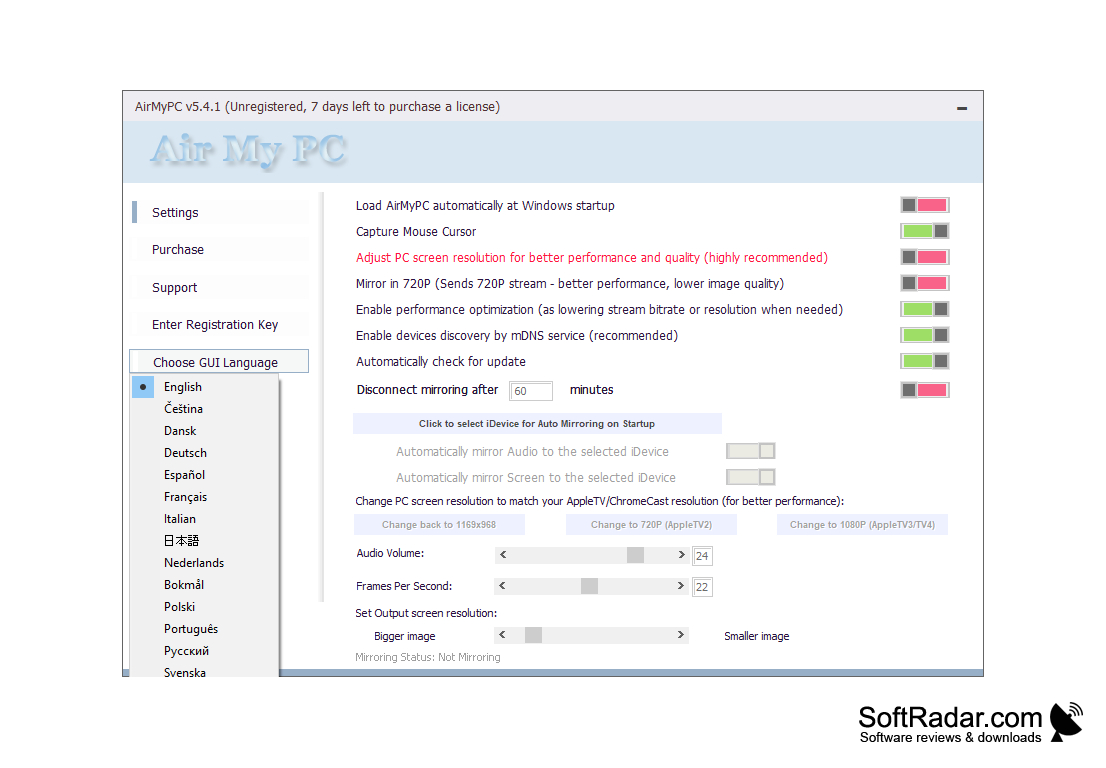
Allows screen mirroring from Windows and Mac to Apple TV/ChromeCast.
Offers computer screen and sound mirroring with high HD quality.
User-friendly interface requiring no technical knowledge for use.
Offers computer screen and sound mirroring with high HD quality.
User-friendly interface requiring no technical knowledge for use.
CONS
Limited device compatibility, doesn't support Android or Linux.
No free version available, only trial.
Some users may find the interface complex and non-intuitive.
No free version available, only trial.
Some users may find the interface complex and non-intuitive.


