
RMClock utility
GUI application designed for windows use
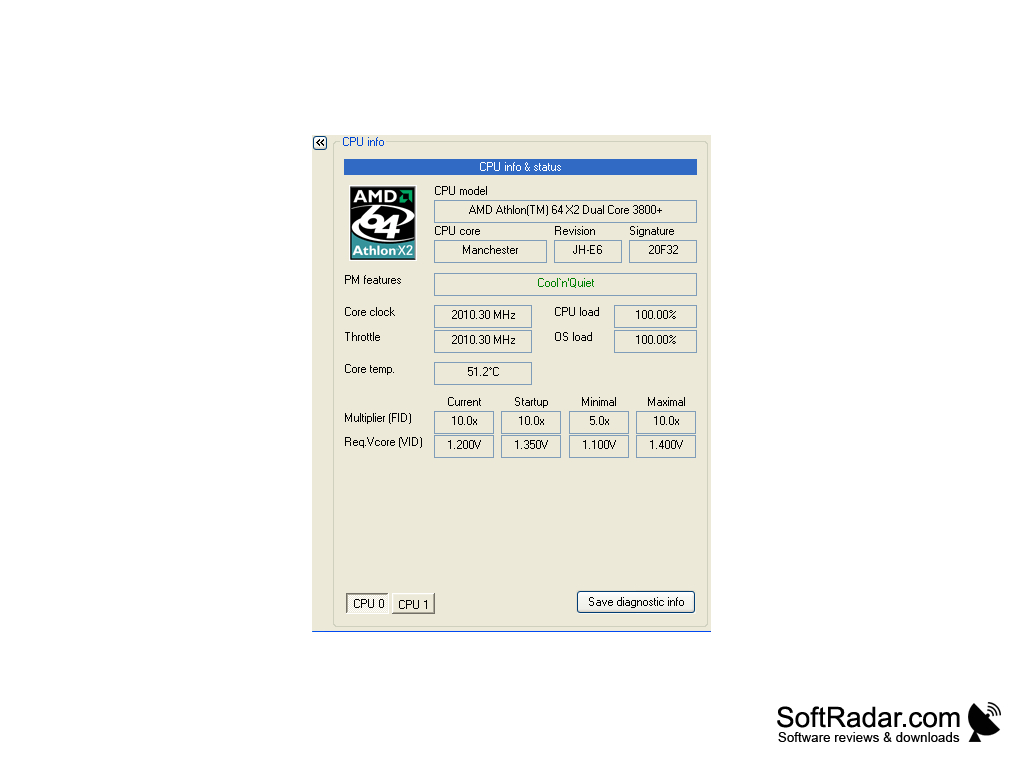
RightMark CPU Clock Utility (RMClock) is a simple application that is designed to monitor CPU utilization and performance. Through special power management registers RMClock can regulate the performance of the CPU on the fly. When working in automatic mode, the program in live monitoring of the CPU load and dynamically adjusts its frequency and voltage level, thus implementing the model of "Performance on demand" RMClock is available free of charge for personal use in non-commercial purposes. Registration or activation of the product is not required.
The main benefit of using RMClock utility is its ability to dynamically adjust CPU frequency and voltage level, optimizing performance and energy use.
- Live monitoring and CPU performance tuning.
- Full support for multiprocessor systems or multi-core processors.
- Displays the CPU core temperature.
- Displays information about the battery charge.
- Supported processors:AMD K7 (Athlon/XP/MP, Duron, Sempron) and K8 (Athlon 64/FX/X2, Opteron, Dual-Core Opteron, Sempron, Turion 64/X2) family processors.
- Intel Pentium II/Celeron, Pentium III/Celeron, Pentium M/Celeron M, Pentium 4/Celeron (Northwood and Prescott cores), Pentium 4 Extreme Edition (Gallatin and Prescott cores), Xeon (Prestonia, Nocona, Cranford, Irwindale, Potomac, Paxville and Dempsey cores), Pentium D and Pentium Extreme Edition (Smithfield, Presler and Cedar Mill cores), Core Solo/Celeron M/Core Duo (Yonah core) and Core 2 Duo/Core 2 Quad/Core 2 Extreme/Xeon (Conroe/Allendale, Merom, Woodcrest, Kentsfield/Clovertown cores).
PROS
Provides real-time CPU clock, temperature, and voltage monitoring.
Supports advanced power management solutions for modern processors.
CONS
Can be confusing for non-tech savvy users.
Lack of regular updates.