Anim8or
A free 3D modeling and character animation program for Windows based on OpenGL
Operating system: Windows
Publisher: R. Steven Glanville
Release: Anim8or 1.0.0
License: Free
Antivirus check: VirusTotal report
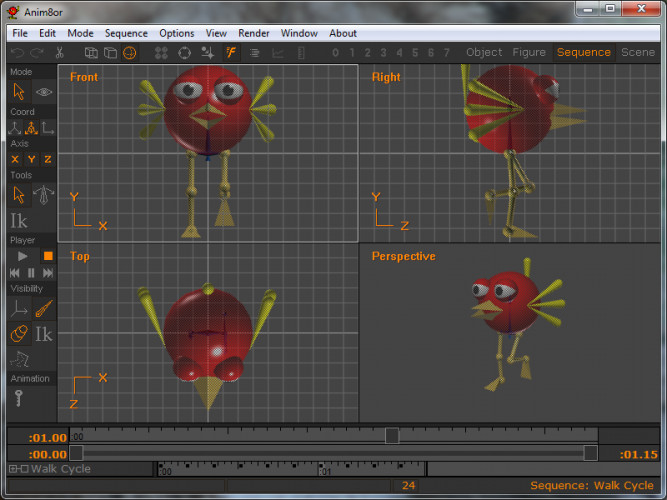

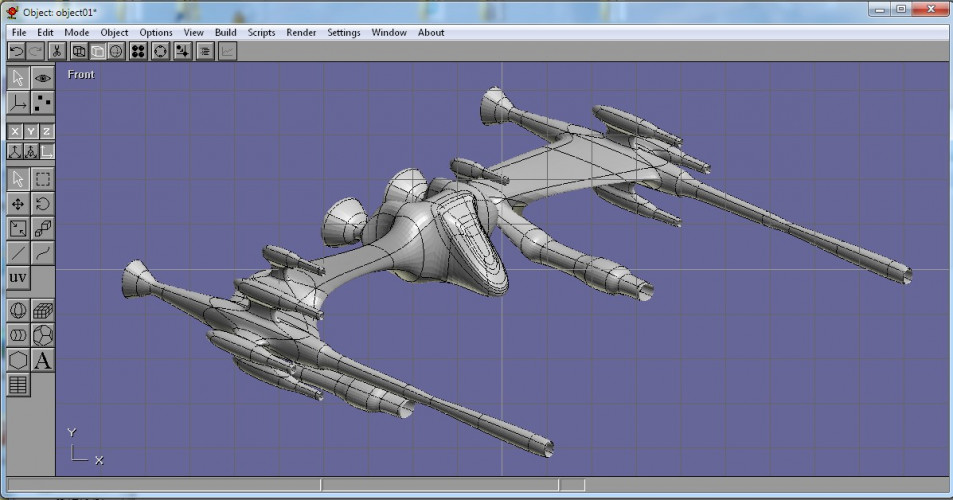
The Anim8or interface is separated into four sections, each with its own set of important tools: Object Editor, Figure Editor, Sequence Editor, Scene Editor. An image can be represented in any of the four editors, but only in the scene editor can lights and other graphic elements be used.
Features:
- 3D modeler with primitives such as spheres, cubes, and cylinders
- Mesh editing and subdivision.
- Splines, extrusions, lathing, modifiers, beveling, and warping.
- Compatibility with TrueType fonts that allows 2D and 3D text
- The ability to import .3DS, .LWO, and .OBJ files to modify them
- The ability to export .3DS, .OBJ, .VTX and .C files to use in external programs
- Plug-in support, using the anim8or scripting language, also known as ASL for short
- 3D object browser to allow the user to view 3D files in a specific directory
- Textures in .BMP, .GIF and .JPG formats
- Environment maps, bump maps, transparency, specularity and other material settings.
- Jointed character editor.
- Morph targets.
- Renderer with support for fog, infinite, local and spot lights, anti-aliasing, alpha channels and depth channels
- Output of .AVI movies and .JPG, .PNG and .BMP images.
- Volumetric shadows, hard and soft ray-traced shadows, and support for ambient occlusion.
- A flat text file format, which allows the development of external tools such as Terranim8or
- Hierarchies
Anim8or has very low system requirements and runs as a single executable, so it works well even on older, modest PCs.
The interface is a mix of the native Windows interface, for elements such as the right-click context menu, and elements specific to Anim8or, such as the graphic icons in the toolbar on the left.
Anim8or is written by R. Steven Glanville as a free, non-commercial project and consists of a single executable file that needs no installation: you unzip it and run anim8or.exe. The latest release, v1.0, adds inverse kinematics, the Topographical Knife modeling tool, layers, normal maps and .STL import and export for 3D printing.
OpenGL graphics card or integrated graphics
512 MB RAM (1 GB recommended)
25 MB of free disk space
PROS
Supports various light models and textures.
Free of charge, no subscription fees.
CONS
Runs only on Windows, with no Mac or Linux version.
Developed by a single author, so updates are infrequent.