Dead Pixel Buddy

by data product services

Quickly helps you determine if your screen has any dead pixels on it

Operating system: Windows

Publisher: data product services

Antivirus check: passed

Report a Problem

Dead Pixel Buddy is a great little program for determining if you have any dead pixels on a plasma or LCD screen. If you think something about your monitor is off and you want to diagnose it yourself saving time and money from bringing your equipment into a shop this is the tool for you!

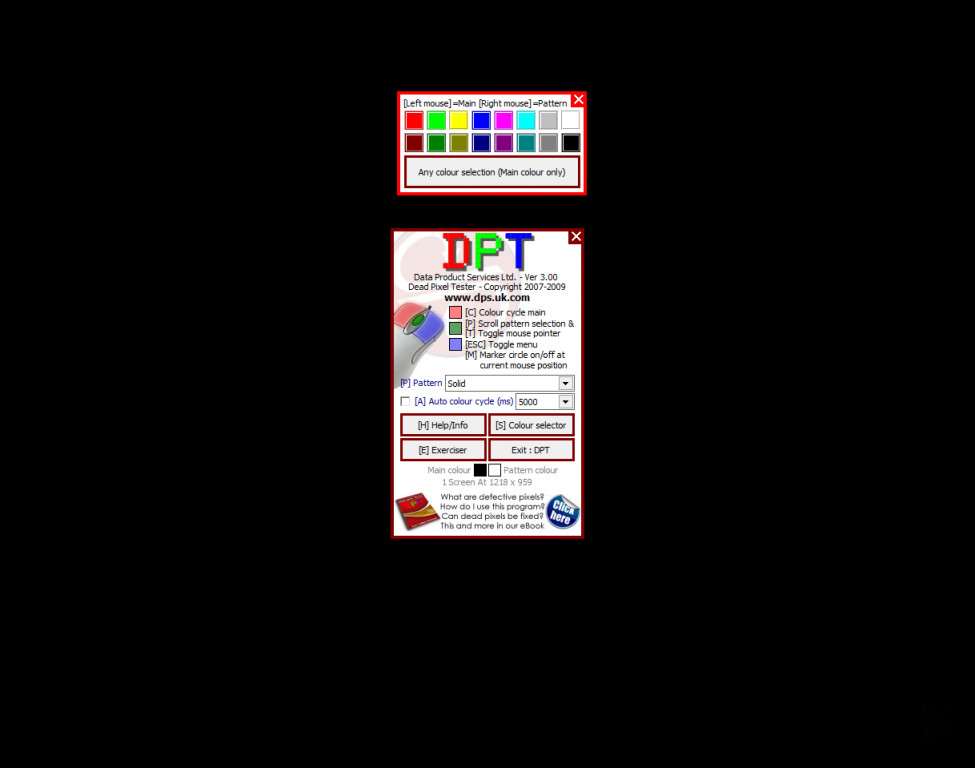
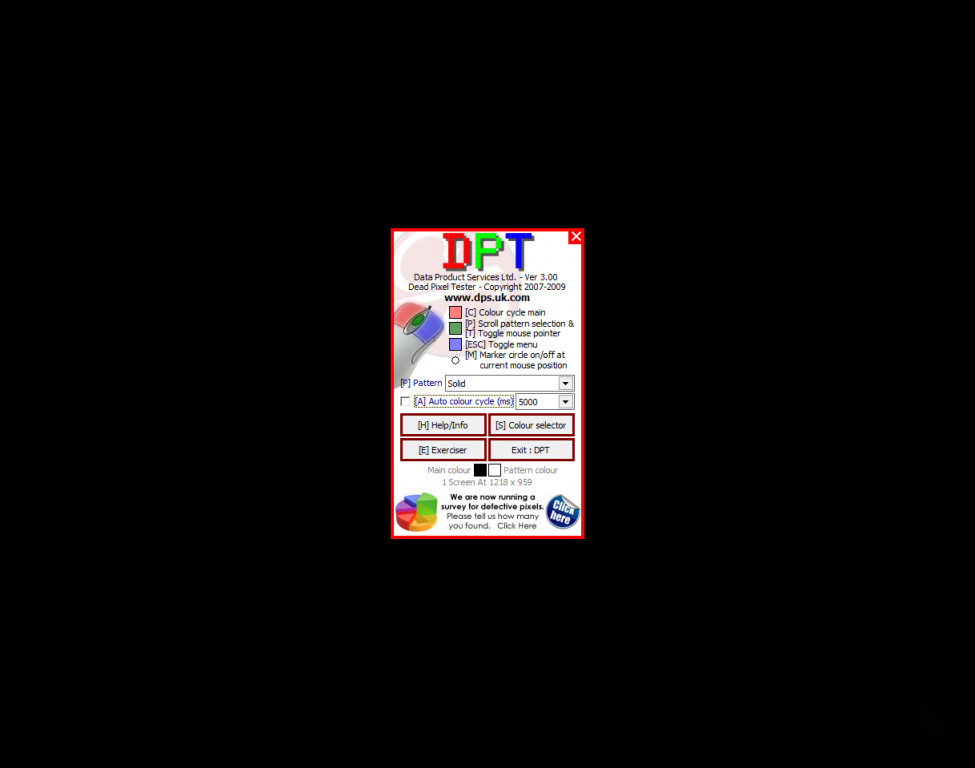
The program itself is very simple. Just launch it and it will give you a choice of colors to display on the screen. You then chose the color you want and it displays that color full screen. Once the color is displayed you simply look over your monitor and determine if there are any parts of the screen that show a differing color. You then repeat this process with the other colors that Dead Pixel Buddy offers to ensure your diagnosis. Some dead pixels may appear differently. So it's very important to repeat the process with different colors because not every dead pixel will show up with every color.

Diagnosing your monitor with a dead pixel will help you determine what course of action you want to take. You may decide that it's time to get a new monitor, or you may decide that you want to get your monitor fixed. If you have a warranty on your monitor being able to explain what exactly the issue it would be very beneficial to the company. Of course depending on where the dead pixel is and what your needs are you may choose to just leave it as is.

Dead Pixel Buddy is an absolutely free program that can run on any version of Windows after Windows 7. It's a very light program so you can use immediately on any computer. If you have multiple monitors hooked up to one computer you can very easily run it across all of those monitors simultaneously. Or if you have multiple computers you can very easily run it on each of your computers. Either way, this is a great and very useful program.

Dead Pixel Buddy works very quickly and efficiently saving you time in fixing your screens.
Operating System: Windows 7 or later versions
Lightweight software with low processing power requirements
Suitable for multi-monitor setups
No additional hardware required

PROS
Quick and easy to use.
Identifies dead or defective pixels rapidly.
Completely free to download.

CONS
Cannot fix dead pixels, only identifies them.
No advanced features offered.
The interface is very basic and lacks user-friendliness.
image/svg+xmlBotttsPablo Stanleyhttps://bottts.com/Florian Körner Daniela Beltz
Dead Pixel Buddy can very quickly locate any dead pixels on a plasma or LED screen. You can choose any color and then test the screen for pixel loss of that color. The software is free and runs on Windows 7 or later. Multiple monitors can be diagnosed simultaneously.
image/svg+xmlBotttsPablo Stanleyhttps://bottts.com/Florian Körner Harris
Dead Pixel Buddy allows you to find any dead pixels on your LCD or Plasma screens. This allows you to save money by diagnosing it yourself rather than bringing it to an expensive technology shop. It is easy to use, useful, and helps save me money!
image/svg+xmlBotttsPablo Stanleyhttps://bottts.com/Florian Körner Simón Wansa
It is quite usual that monitors, which have a long time of use, begin to have problems. One of the most regular inconveniences is about dead pixels. There are several programs capable of solving this problem. Dead Pixel Buddy is a small free software that is responsible for detecting the presence of dead pixels on monitors. It is very efficient because it detects all kinds of dead pixels whether they are visible when the screen is black, white or any other color. The program interface is very intuitive for the user. Dead pixels are detected through a variety of colors that appear on the main panel of the software. The exciting thing about this program is that we can use the six colors that it has by default and at the same time add many more in a personalized way. That will allow us to cover all the color tones and make sure that our screen does not have any dead pixels. Dead Pixel Buddy does not have many configuration options. Apart from the colors, it has a Time Cycle function. With this function, we can establish a period for the monitor to change color. The screen will automatically change color from time to time to verify the presence of dead pixels. This tool is straightforward to use for any user. It is very fast to download and does not require installation as it will run automatically from the source file. Besides, it does not consume any computer resources. Despite having a simple interface, it has been well developed, so it does not generate problems on the screen. If we want to know if our monitor is working correctly, Dead Pixel Buddy is a great option today thanks to its level of efficiency. We can use it on our old monitor to check if it is still working correctly or else buy another one. Similarly, in case we have purchased a new screen, this tool will allow us to detect the problem in time and use the warranty.
image/svg+xmlBotttsPablo Stanleyhttps://bottts.com/Florian Körner Connor
The Dead Pixel Buddy app for windows works for its intended purpose, which is to find broken pixels on your computer easily. The app's main function is simple and allows you to change between 5 main colors, a custom color, or a timed cycle between colors. The app was first trademarked in 2004 and received an update in 2019. The app itself works great and does exactly what it says it will, by changing your screen all one color. This obviously is not the only way to locate dead pixels but may be helpful for those with eyesight difficulties or colorblindness. If you need an app to change your screen all one color this is the app for you.
image/svg+xmlBotttsPablo Stanleyhttps://bottts.com/Florian Körner Brodie
Dead Pixel for Windows is software that lets you check for dead pixels on your computer. You don't have to download any additional software for this. Dead Pixel Buddy product is user friendly and it also comes in handy if you buy a new screen because they may sometimes come with dead pixels.
image/svg+xmlBotttsPablo Stanleyhttps://bottts.com/Florian Körner Oscar
The dead plasma is used to find the plasma problem on the LCD. The another attribute which is called the dead pixel buddy can deployed within the blink of an eye. The graphical interface is like a cherry on the top.The small pixels which are broken can be identified within seconds which makes this software product reliable
image/svg+xmlBotttsPablo Stanleyhttps://bottts.com/Florian Körner Oscar
This software is great because it’s user-friendly. I’m not a computer or tech savvy person, so this was definitely a stress free experience. I would recommend this to anyone in need of fixing or resolving any pixelation issues they may come across with their monitor or display.
image/svg+xmlBotttsPablo Stanleyhttps://bottts.com/Florian Körner Mason
Dead pixel buddy for windows is a simple and lightweight program. It is a small and free-to-download software program. It is a program for detecting the dead pixels in the monitor. It also helps to find the broken pixels in the monitor. This is a tiny app but powerful software to detect the pixel damage on the screen. It is a free and fast way to detect broken pixels. It is even simple to use it.
Timer Resolution
A utility program that is designed to increase your computer FPS perfromance
HP CoolSense
Balance Hewlett Packard notebook PCs performance with system temperature constraints
iBackup Viewer
Allows one to extract data from iPhone Backups
Lenovo Vantage
Manage device tasks such as updating drivers, detecting viruses and requesting support
AdbLink (AdbFire)
Use your PC to load files and apps onto any Kodi-enabled TV casting device