
Wefisy: Web Filtering System
Tool to give you control over your child's media habits
Operating system: Windows
Publisher: Wefisy
Release: Wefisy: Web Filtering System 1.0.2
Antivirus check: VirusTotal report
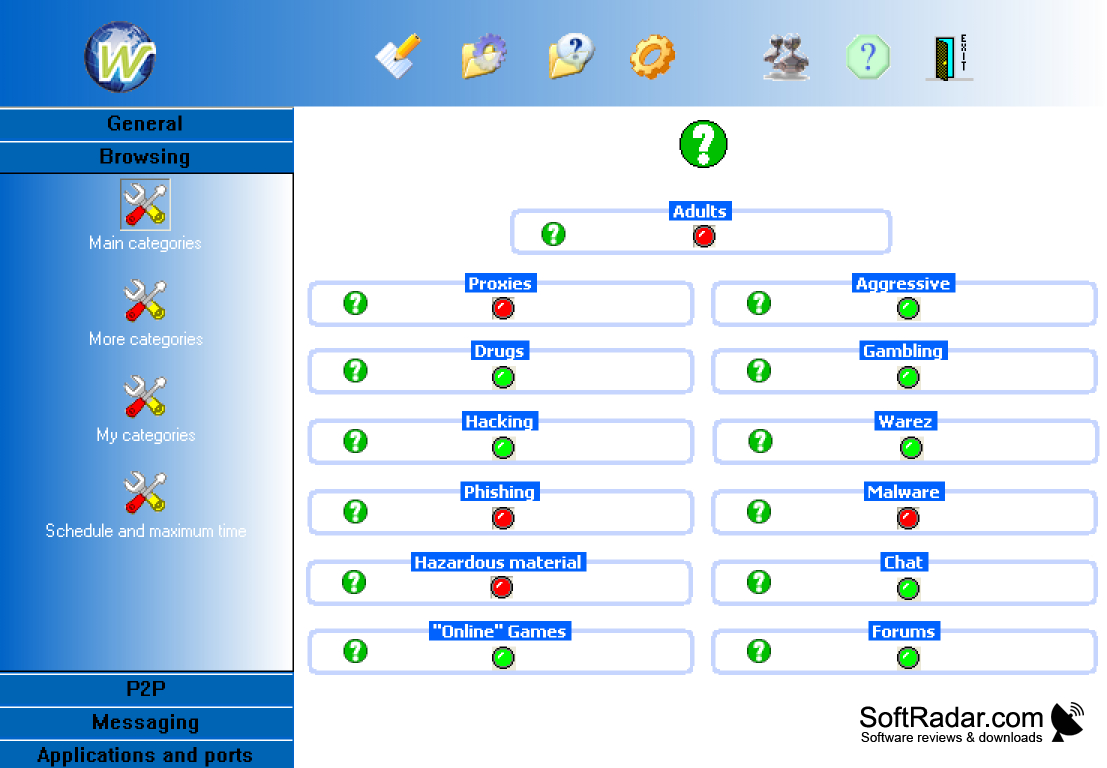
Wefisy is a free tool to help you control your child’s internet browsing and media consumption. It helps you feel more confident about your child’s safety while they browse the internet independently. I don’t think any tool can be 100% effective at blocking out “unsafe” sites, but some is better than none! You can choose to have this tool block specific categories of sites (there are over 30 to choose from), and/or you can customize your own lists of sites you definitively approve and ones you want to proactively block access to. You can also block different types of apps, like ones that allow messaging with third parties.
There’s a scheduling tool I never tried. I’m not quite sure what it does, but I think it has something to do with allowing “blocked” sites at times when your child won’t be using the computer/blocking sites only when the child is using the computer. You can also set certain hours when the child can and cannot access the internet.
The tool was simple to install and took only a few minutes to do so. I didn’t need outside help, but the site has a video explaining how to install the tool if you get confused.
I can’t complain too much since the tool is free. But it does feel a bit clunky to use; check out the tool’s site to get a feel for what I mean. The graphics are so poor, I don’t feel I can fully trust the company providing it. In addition, the grammar on the site and the tool are poor, leading me to believe this company is unreliable and unprofessional.
Another con is it works only on Windows systems, and it doesn’t support newer browsers. The site claims the company is working on solutions. The latest update it lists is from October 2020.
I like the idea behind this tool – protecting your child on the internet – but would like to find a tool that has a better interface and works with Macs.
Allows child to browse internet more safely
Features:
- Works on a variety of Windows systems
- Can block whole categories of content
- Custom site blocks
- Can block specific app types
- Totally free
Supports older web browsers only
Needs a minimum amount of free disk space for installation
Capable of blocking specific content categories and apps
PROS
Enhances internet security and productivity.
Simple user interface for easy operation.
CONS
Lacks offline filtering capabilities.
Customer service response time is inconsistent.


