Generic Mod Enabler (jsgme)
Generic Mod Enabler (JSGME) is a free JoneSoft utility that enables and disables game mods without altering the original game files.
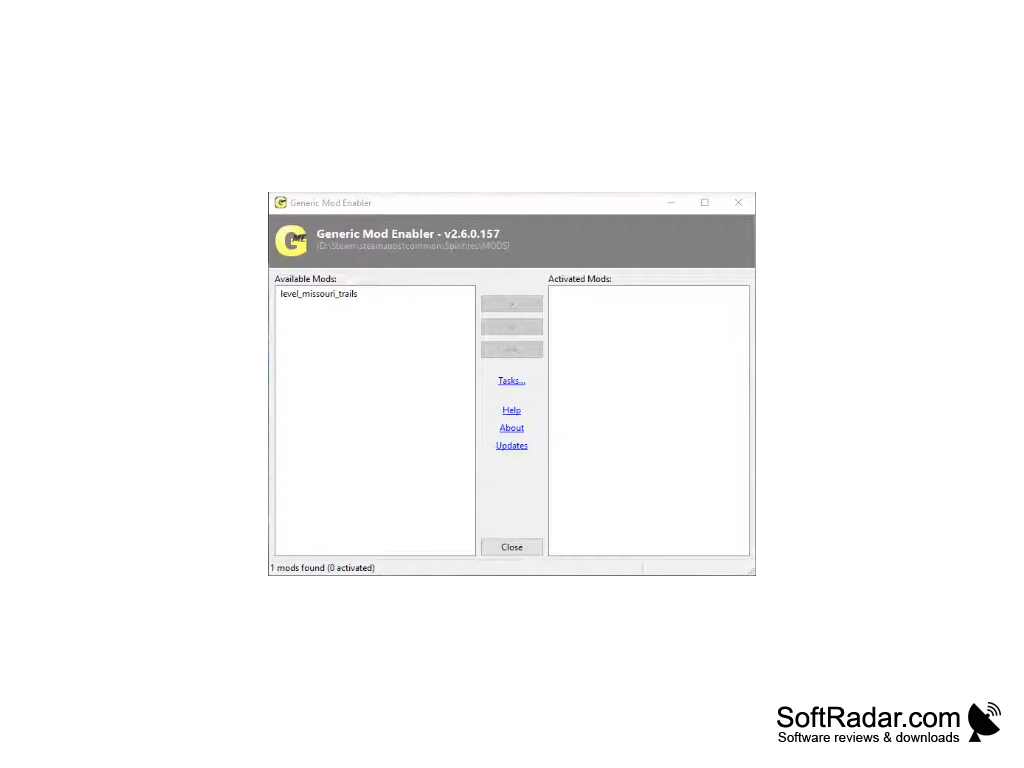
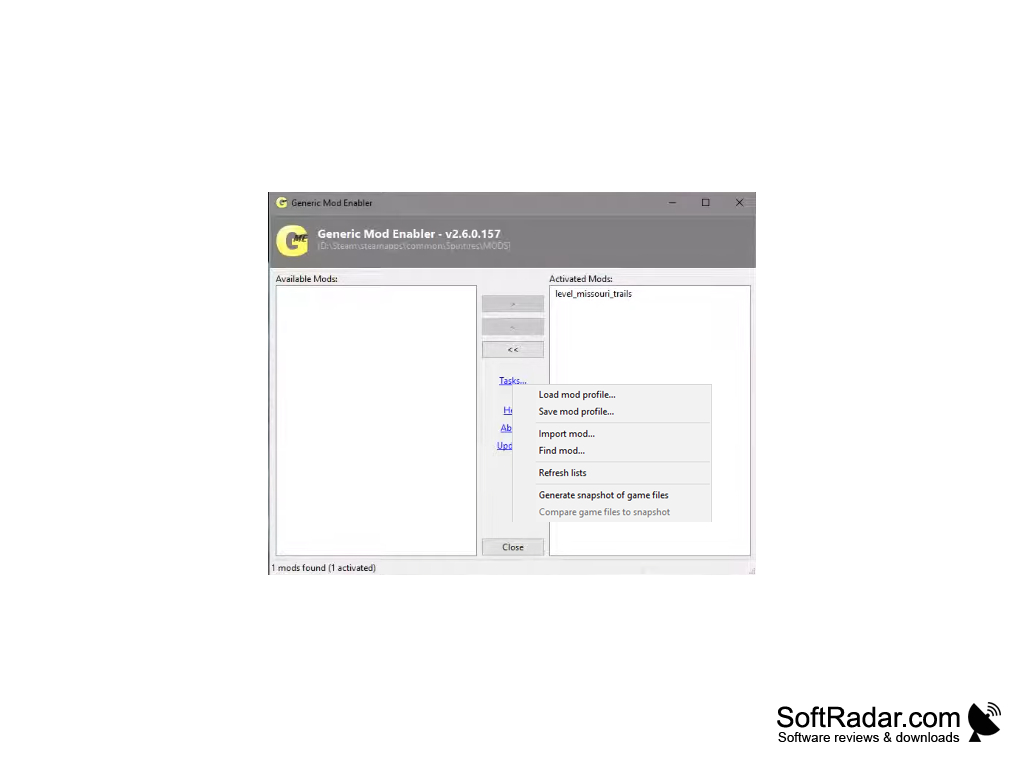
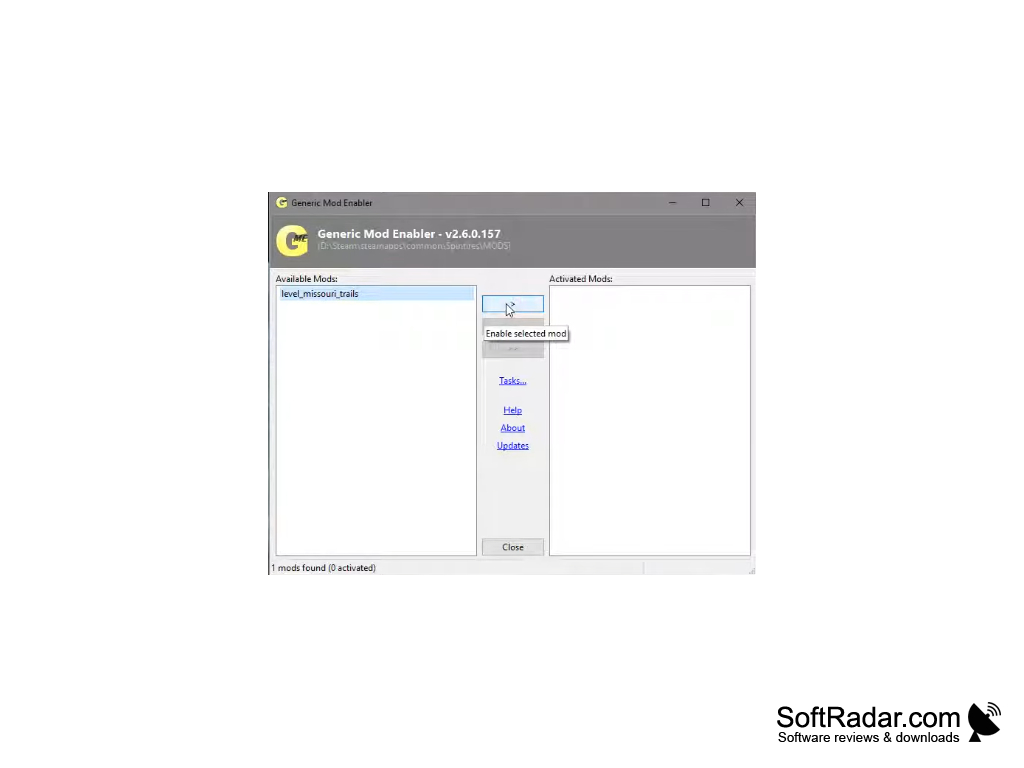
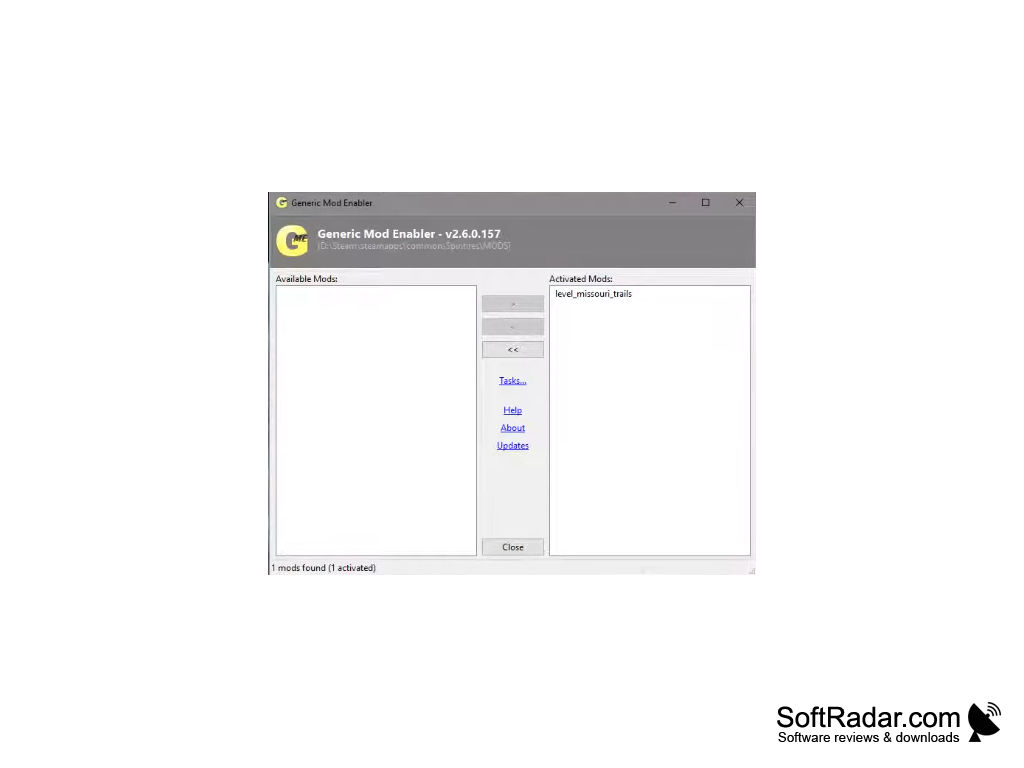
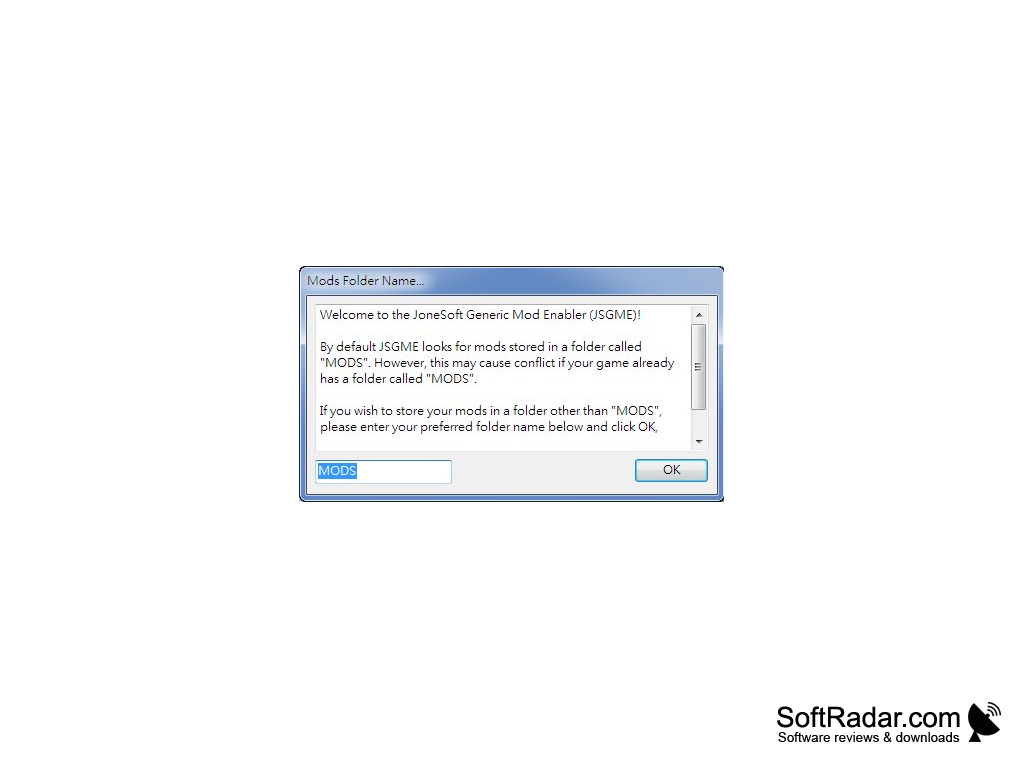
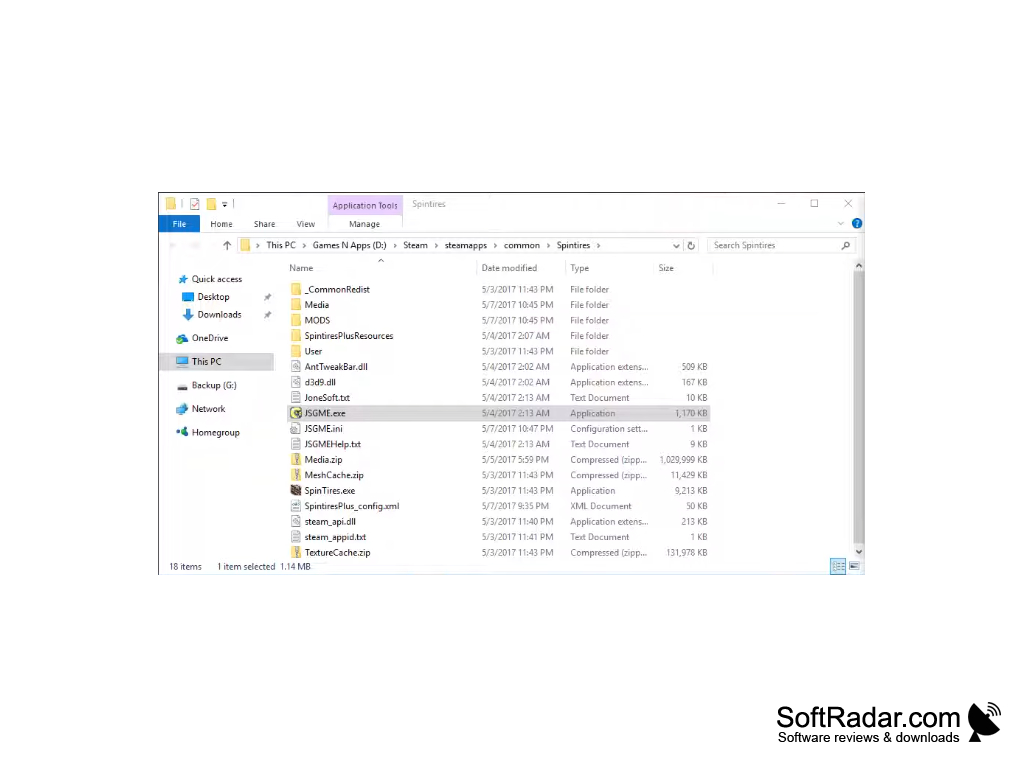
The Generic Mod Enabler (JSGME) is a free mod management utility by JoneSoft that takes most of the hassle out of installing and uninstalling mods for your games. The interface is simple and easy to understand: the window shows two lists, Available Mods and Activated Mods, and you move a mod between them with the arrow buttons or by drag and drop. To use it, you copy JSGME.exe into the root folder of the game. On the first launch it asks for the name of the mods folder, "MODS" by default, where each mod is stored in its own subfolder with the same folder structure as the game. When you enable a mod, JSGME installs its files into the game folder and backs up any original game files that the mod overwrites. When you disable the mod, the original files are restored, so the base game stays intact. JSGME also warns you when a mod is about to change files that another activated mod has already changed. It was tested with games such as European Air War, Panzer Elite, Silent Hunter III/IV and Total War, but it works with just about any moddable game that reads loose files from its folder. You can save the list of enabled mods as a mod profile and load it later, also through command line switches, which is handy when you switch between different mod setups. The Tasks menu lets you import a mod, find a mod by name, refresh the lists and copy the list of activated mods to the clipboard. The snapshot feature records the state of the game files (based on MD5 sums since version 2.6.0) and later compares the current files with it to reveal changes. Optional language packs change the display language of the program.
Features:
- Simple, easy to use interface
- Ability to create multiple mod profiles
- Generate snapshots of game files and compare against them
- Made for Windows XP, Vista and 7, and also runs on Windows 10
It lets you switch mods on and off with one click and restores the original game files when a mod is disabled.
Conclusion:
Get this Generic Mod Enabler to enable and disable mods safely without altering the original game files. The program is portable freeware; its last version, 2.6.0, is no longer developed but still works with many games.
PROS
Saves and loads mod profiles for different setups.
Protects the integrity of original game files despite mod usage.
CONS
Works only with mods made of loose game files.
Must be copied into each game folder manually.


