
MyWinLocker
MyWinLocker is an encryption suite by Egis Technology that protects private files in a password-protected Yo-Safe virtual drive.
Operating system: Windows
Publisher: Egis Technology
Release : MyWinLocker 4.0.14.29
Antivirus check: VirusTotal report

MyWinLocker for Windows is a personal encryption suite from Egis Technology. It was preinstalled on many Acer notebooks to help protect private files. There are two key features. One is called Yo-Safe. The other is Shredder.
Features:
- Yo-Safe: Yo-Safe is a password-protected virtual drive that keeps your files encrypted and private.
- It appears as an additional drive in Windows and is unlocked with a master password
- Shredder: Shredder is a tool that securely removes files so that they cannot be recovered.
It has two key features: a password-protected encrypted drive and a shredder that permanently deletes unwanted files.
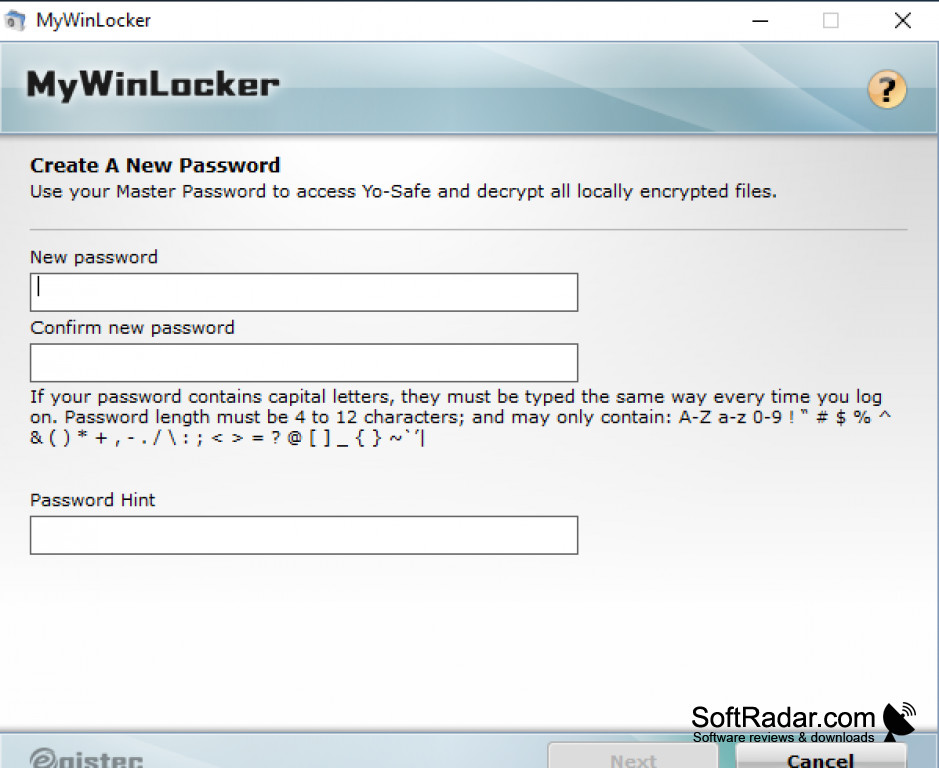
MyWinLocker encrypts user-specified files and folders with AES and keeps them in the Yo-Safe drive, which is opened with a master password set in the initial wizard. The suite is no longer developed; its shell extension was reported to make Windows Explorer crash on some Acer PCs, and uninstalling MyWinLocker fixes the problem.
PROS
Shredder deletes sensitive files beyond recovery.
Simple wizard sets up the master password and drive.
CONS
Can make Windows Explorer crash on some systems.
Mostly distributed as preinstalled Acer software.